
To send a campaign, click the Schedule button in the campaign editor. The Schedule button is not visible for remarketing campaigns, where the rules for sending are set differently.
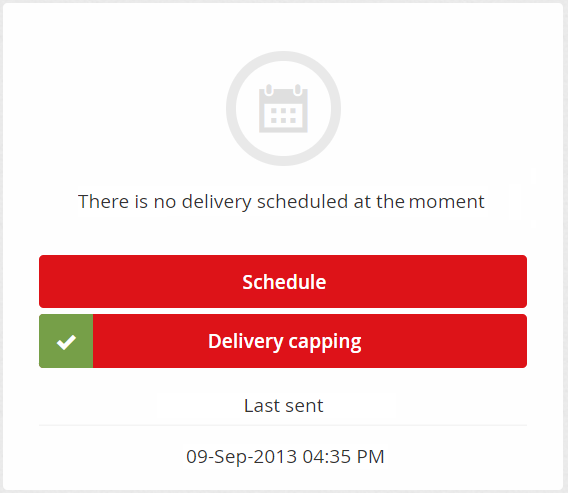
Options for scheduling a campaign
There are three possible ways to send your campaign:
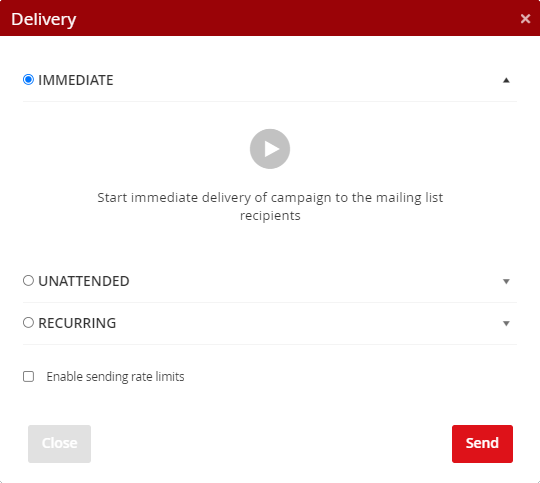
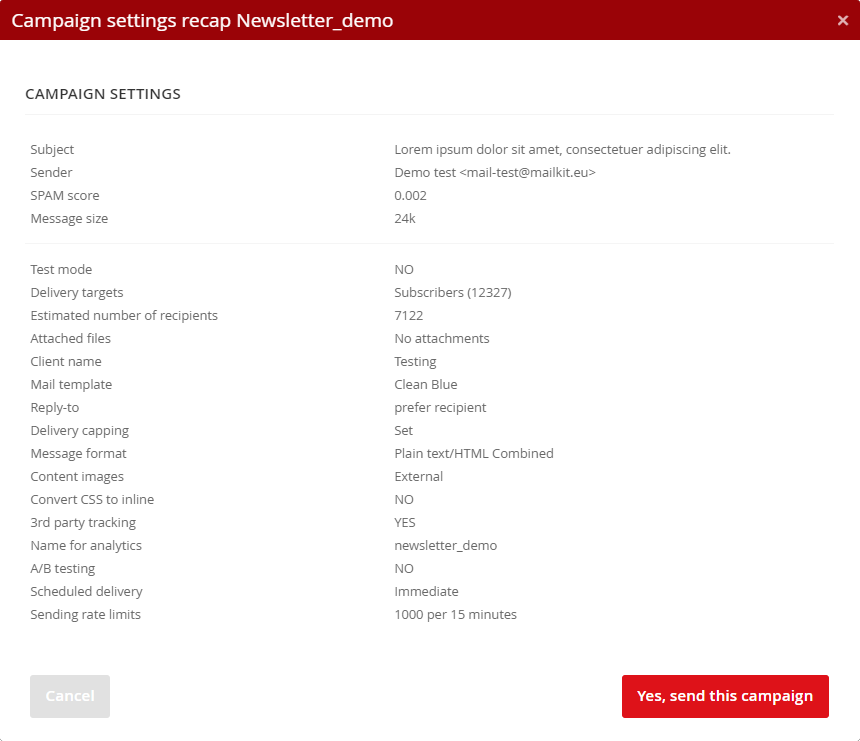
If you select an Immediate campaign sending option and click Schedule, you'll see the last final campaign recapitulation with an overview of what you're about to send, with what settings, and to whom. At this point, you have the last option to Cancel the immediate sending of your campaign. Click "Yes, send this campaign" button to send the campaign to the associated mailing list or delivery feed.
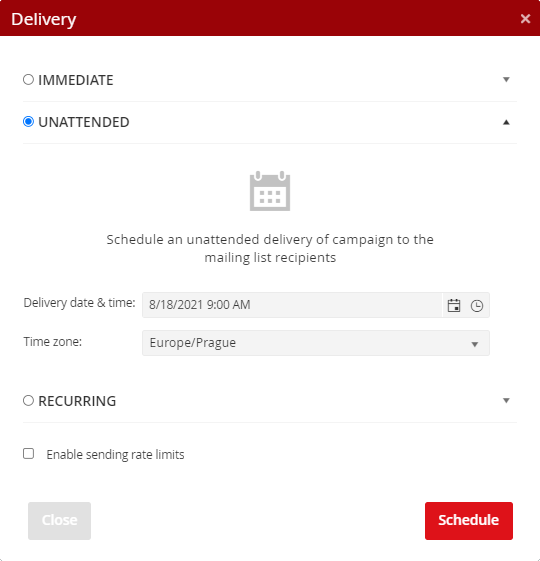
You can also schedule several campaign deliveries for unattended sending, always with individual content, subject, delivery capping, or delivery feed. After you schedule a campaign in unattended mode, the campaign delivery is placed on a list where you can preview it, view the subject of the message, and verify the scheduled date and time of sending.
You can cancel the delivery by clicking the Cancel button.
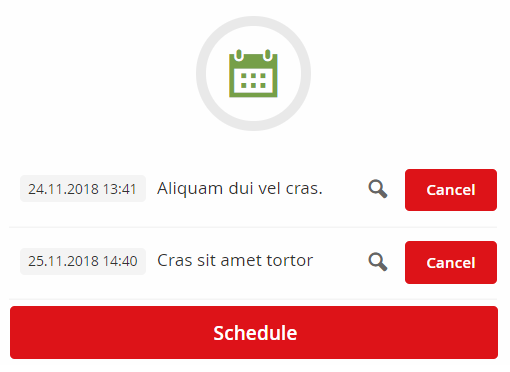
1) Use the Cancel button to cancel the scheduled delivery.
2) Make all necessary adjustments to the campaign.
3) Schedule new campaign delivery.
When scheduling unattended sending, the subject of the campaign, its content, and the delivery capping conditions are "locked".
Therefore:
-
If a recipient list is assigned to the campaign and delivery capping is set up, the campaign will be sent with the conditions set when the campaign was scheduled to the mailing list that was assigned to the campaign at the time the campaign delivery was scheduled. The delivery will then be sent within the set date and time to recipients who are in the recipient list at the time the campaign is sent and who correspond to the delivery capping settings at the time the campaign is sent.
-
If the campaign is based on a template with dynamic content from data sources, the dynamic fields will be filled with the values that will be in the data source when the campaign is sent.
-
When you send a campaign to a delivery feed, the content of the feed is saved at the time the mailing is scheduled. The campaign will therefore be sent to those recipients who were in the delivery feed at the time it was scheduled.
Recurring
Campaign recurring sending is used to set up automated campaigns that are, for example, sent daily, but only to those recipients that match the set condition on that day. Therefore, recurring sending is often combined with Delivery capping.
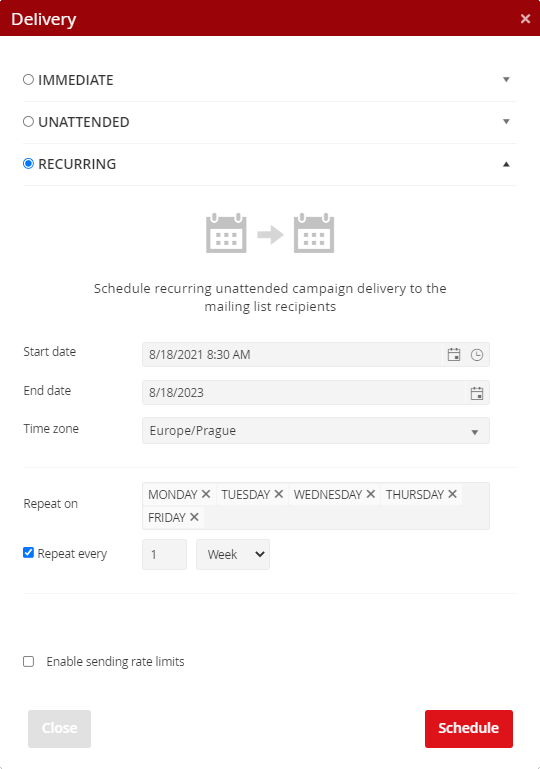
When setting up recurring sending, select the start (from which date the campaign should be sent regularly) and the end (until what date the campaign should be sent regularly). Next, set the sending time and period. For example, if you want your campaign to be sent every day for one year, select all days of the week in the "Repeat on" settings and choose to send your campaign every 1 week.
More practical examples of recurring sending settings
1) The campaign will be sent every Monday
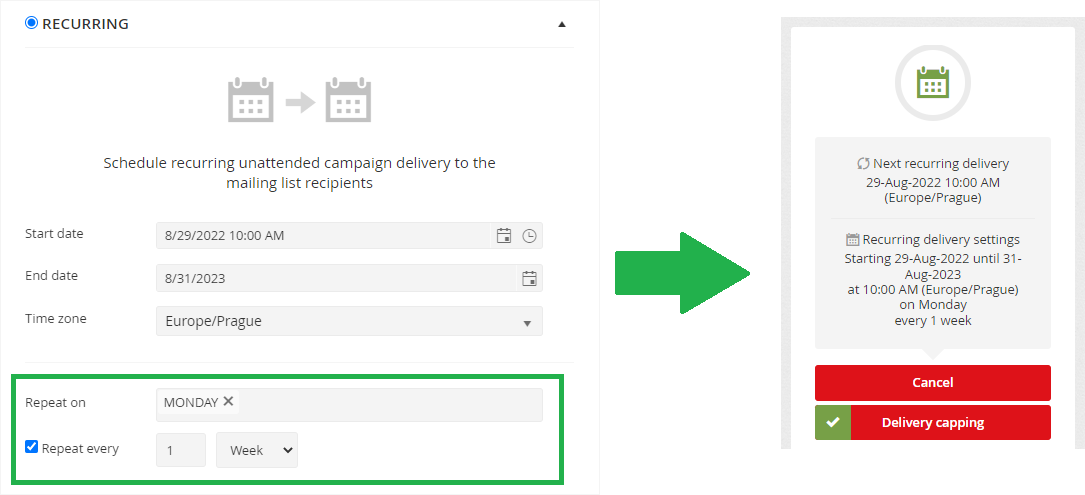
The campaign will be sent every Monday in the period from 29/08/2022 to 31/08/2023, always at 10:00 AM. As the date 31/08/2023 is not a Monday, the campaign will be sent for the last time on 28/08/2023 (the last Monday in the set time interval).
2) The campaign will be sent every 2nd Monday (i.e. once every 14 days on a Monday)
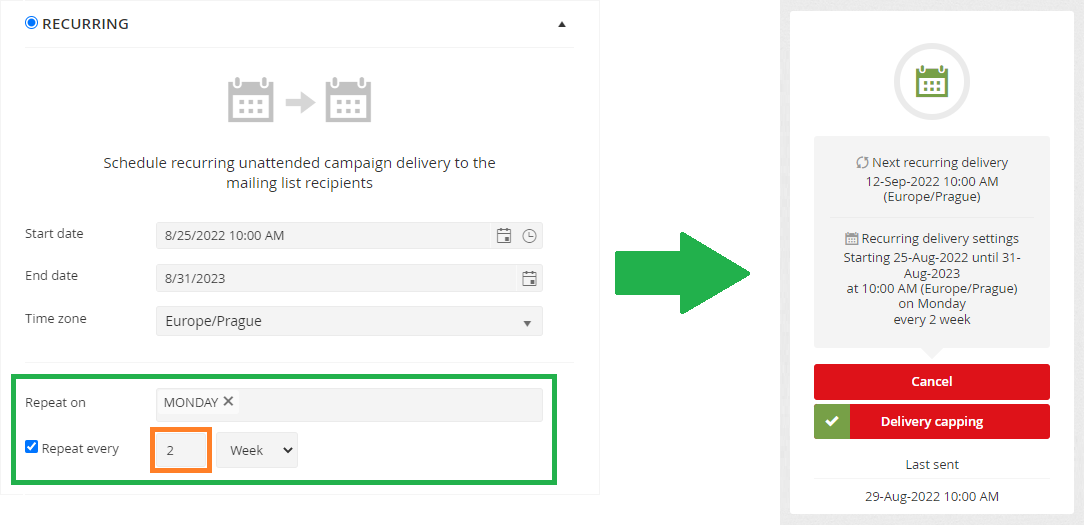
The campaign was set to be sent every second Monday from 8/25/2022 to 8/31/2023, always at 10:00 AM. Since the start date of the set period (25/08/2023) is not a Monday, the campaign will be sent for the first time on 29/08/2022 (the first Monday after 25/08/2022). The next mailing will take place in 2 weeks, i.e. 12/09/2022.
3) The campaign will be sent every 3rd Tuesday of the month
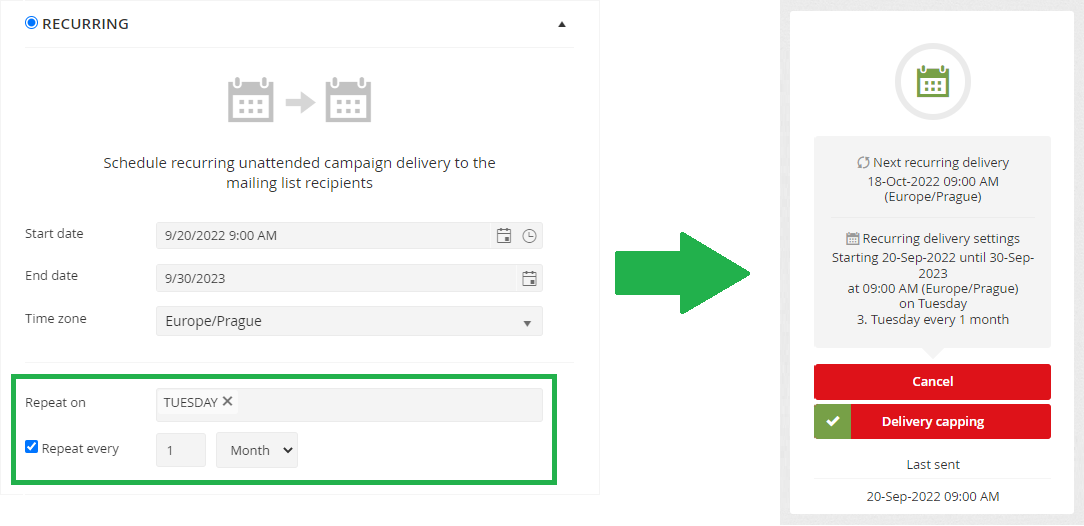
The campaign was set to be sent once a month on Tuesdays from 20/09/2022 to 30/09/2023, always at 9:00 AM. The first mailing will take place on September 20, 2022. Since the date of the first mailing corresponds to the 3rd Tuesday in September 2022, the campaign will also be sent in the following months on the day that falls on the 3rd Tuesday, i.e. the next mailing will take place on October 18, 2022 (3rd Tuesday in October 2022). The campaign will be sent for the last time on 19/09/2023 (3rd Tuesday in September 2023).
4) The campaign will be sent every 3rd Tuesday every 3rd month (i.e. 4 times a year)
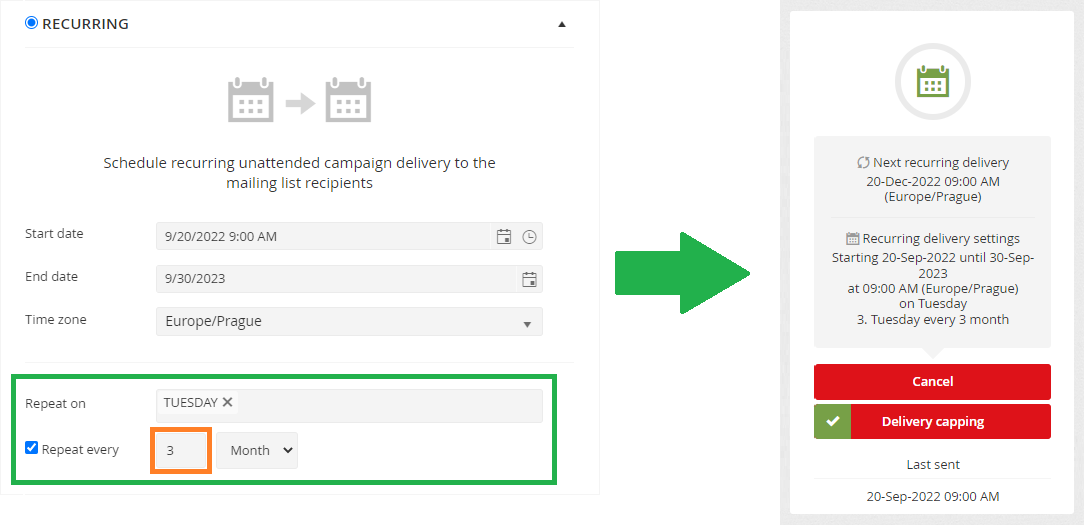
The campaign was set to be sent once every 3 months on Tuesdays from 20/09/2022 to 30/09/2023, always at 9:00 AM. The first mailing will take place on September 20, 2022. Since the date of the first mailing corresponds to the 3rd Tuesday in September 2022, the campaign will also be sent in the following months on the day that falls on the 3rd Tuesday, i.e. the next mailing will take place on 20/12/2022 (3rd Tuesday in December 2022). The campaign will be sent for the last time on 19/09/2023 (3rd Tuesday in September 2023).
Sending rate limits setting
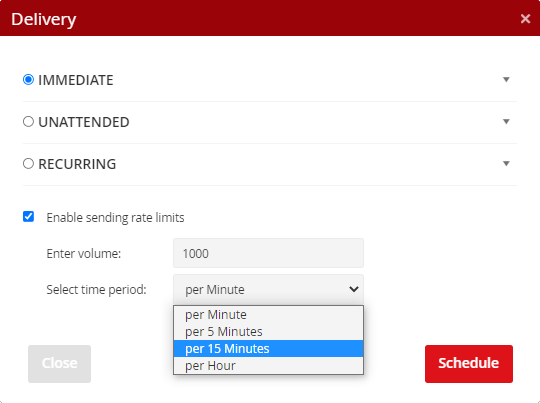
In some cases, it is necessary to spread the distribution over a longer period of time so that emails are not sent to all recipients at once, but are sent sequentially, so as not to overwhelm your infoline or call center or overload your website.
Whether you plan to send a message in any of the above ways (Immediate/Unattended/Recurring), to set the delivery sending rate limit, click the checkbox for “Enable sending rate limits” and set the volume of emails and the time period.
Click on the "Schedule" button to go to the final recapitulation of the campaign delivery.


